ZPL to PNG Converter
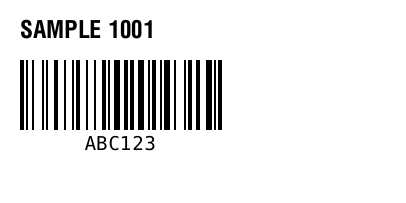
Paste ZPL, render the label at the target printer density, and download a PNG image. Use it when you need a screenshot-like proof of a Zebra label without printing media.
ZPLPNGPreview first
Попередній перегляд ZPL з’явиться тут.
Rendered by Labelary. PNG exports the selected label; PDF exports all labels. Verify printing and scanning on real equipment.
Convert ZPL to PNG in three steps
Paste ZPL
Use a real label template or load the sample to see how the image export works.
Render a label image
Preview the label at the target density so the downloaded PNG reflects the intended print layout.
Download PNG
Save the image for documentation, support tickets, bug reports, or visual approval before hardware testing.
Часті запитання
No. ZPL to PNG renders ZPL into an image. Image to ZPL converts an uploaded image or logo into ZPL graphics commands.
You can share the PNG as a proof, but production Zebra printing should usually use the original ZPL to keep barcodes and commands native.
Yes. Choose the same density as the target printer so positions, barcode sizes, and graphics match the expected output.
Check that the ZPL starts with ^XA and ends with ^XZ, then try the ZPL Validator or Editor for debugging.